
Data Flow
How data moves through the Go Bananas! system.
Image Generation Flow
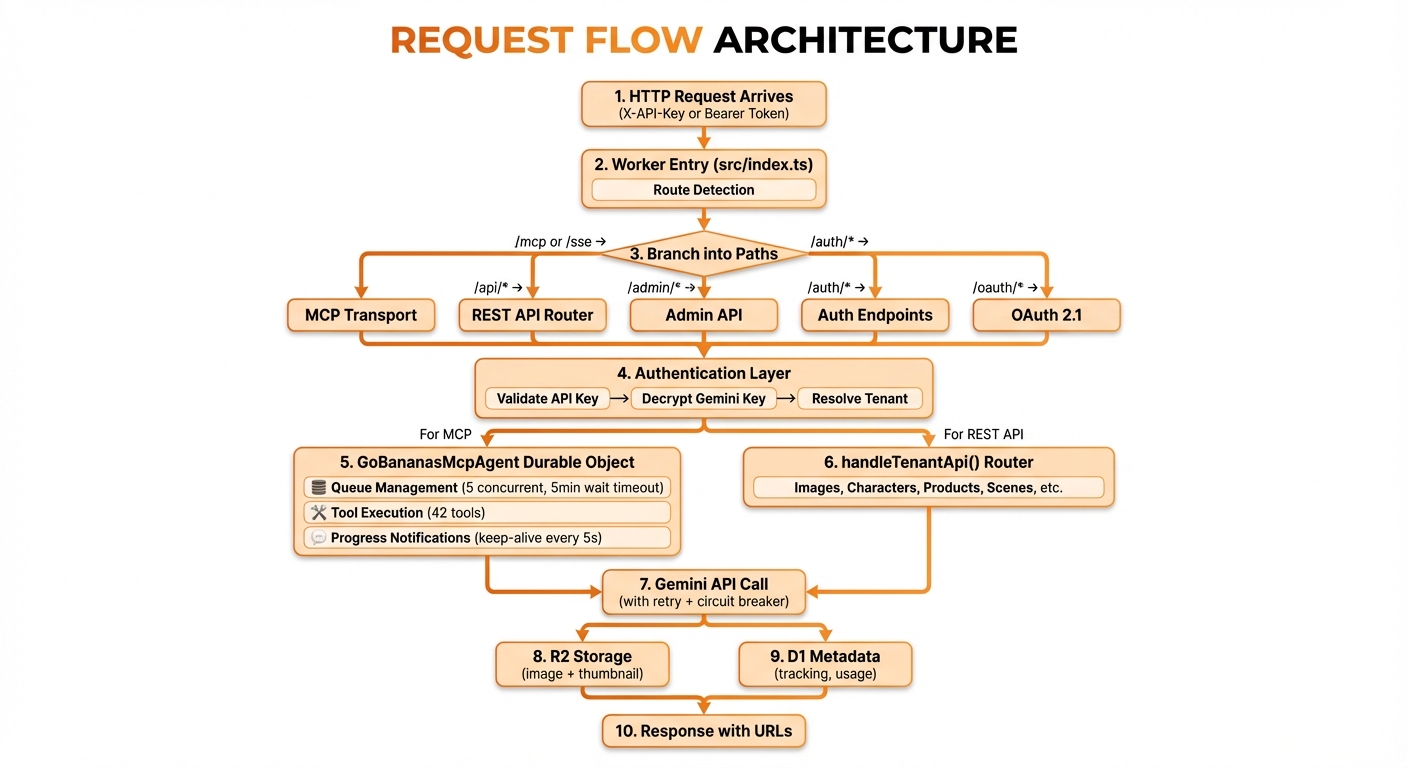
Complete image generation flow from prompt to storage
Data Transformation Stages
1. Input Validation
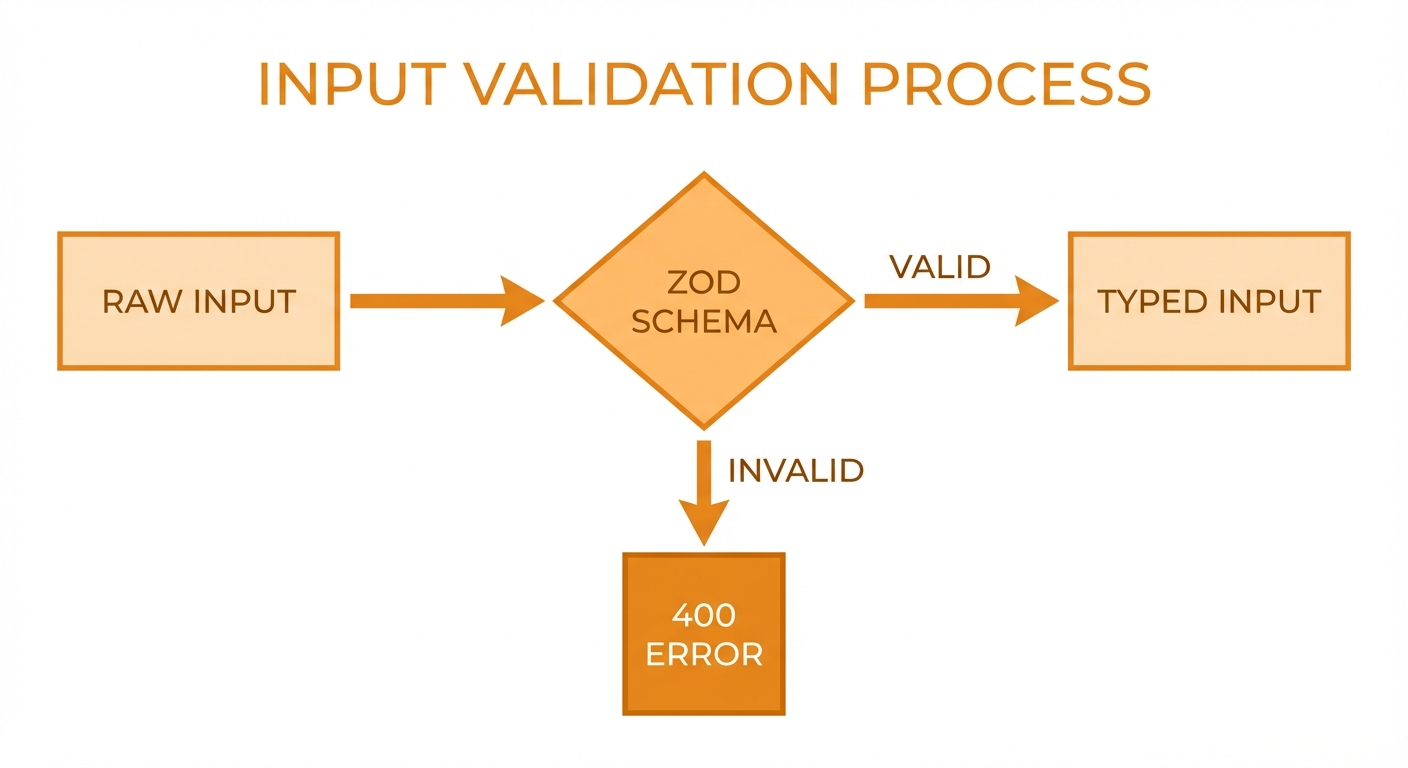
Zod schema validation: valid inputs proceed, invalid get 400 error
const GenerateImageInput = z.object({
  prompt: z.string().min(1).max(16384),
  negative_prompt: z.string().max(1024).optional(),
  aspect_ratio: z.enum(['square', 'portrait', 'landscape']).default('square'),
  n: z.number().int().min(1).max(4).default(1),
});2. Provider Request Building
The model registry picks a provider client (Gemini or OpenAI) based on the request's model_id. The same payload-building pipeline (style preset merge, reference resolution, system instruction prefix) feeds whichever provider is selected.
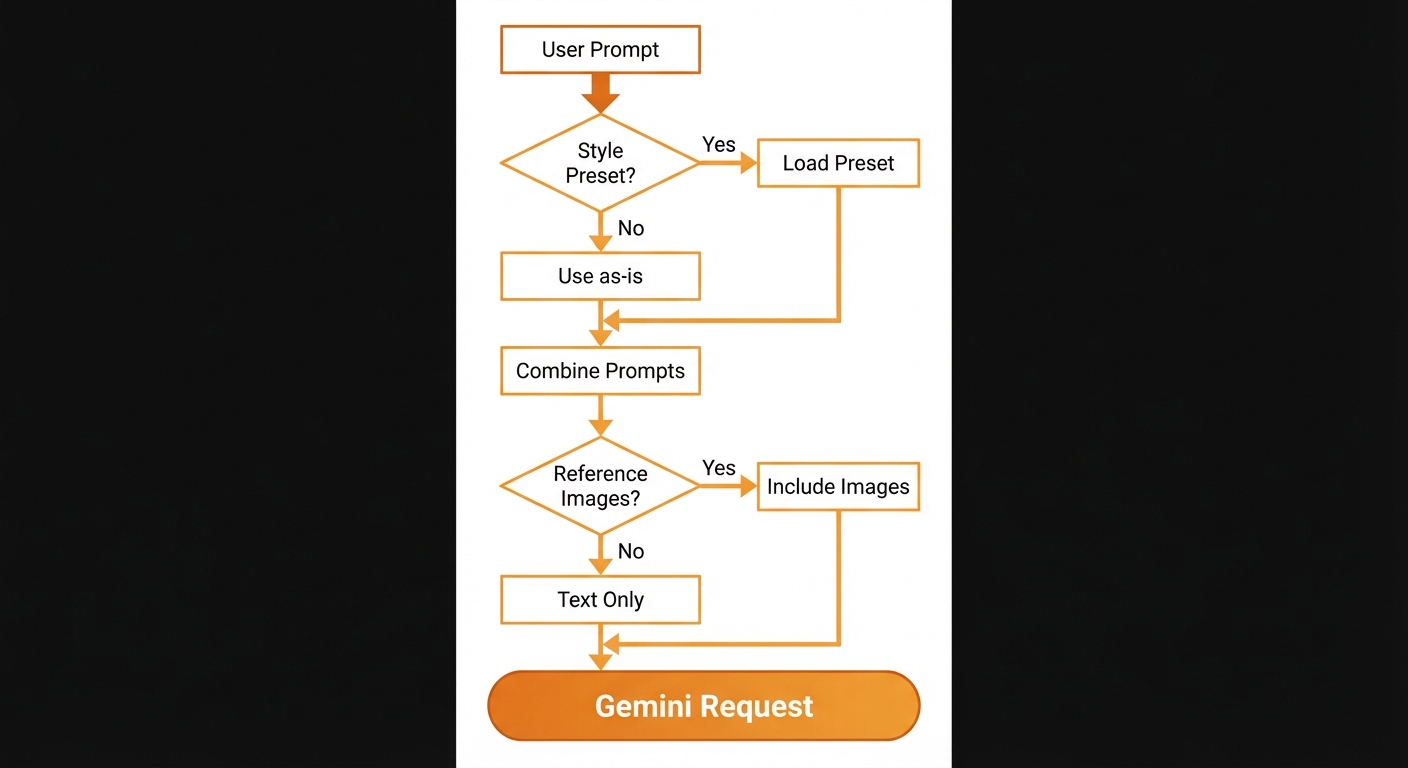
Building request with optional style presets and reference images — same payload pipeline regardless of provider
3. Image Processing Pipeline
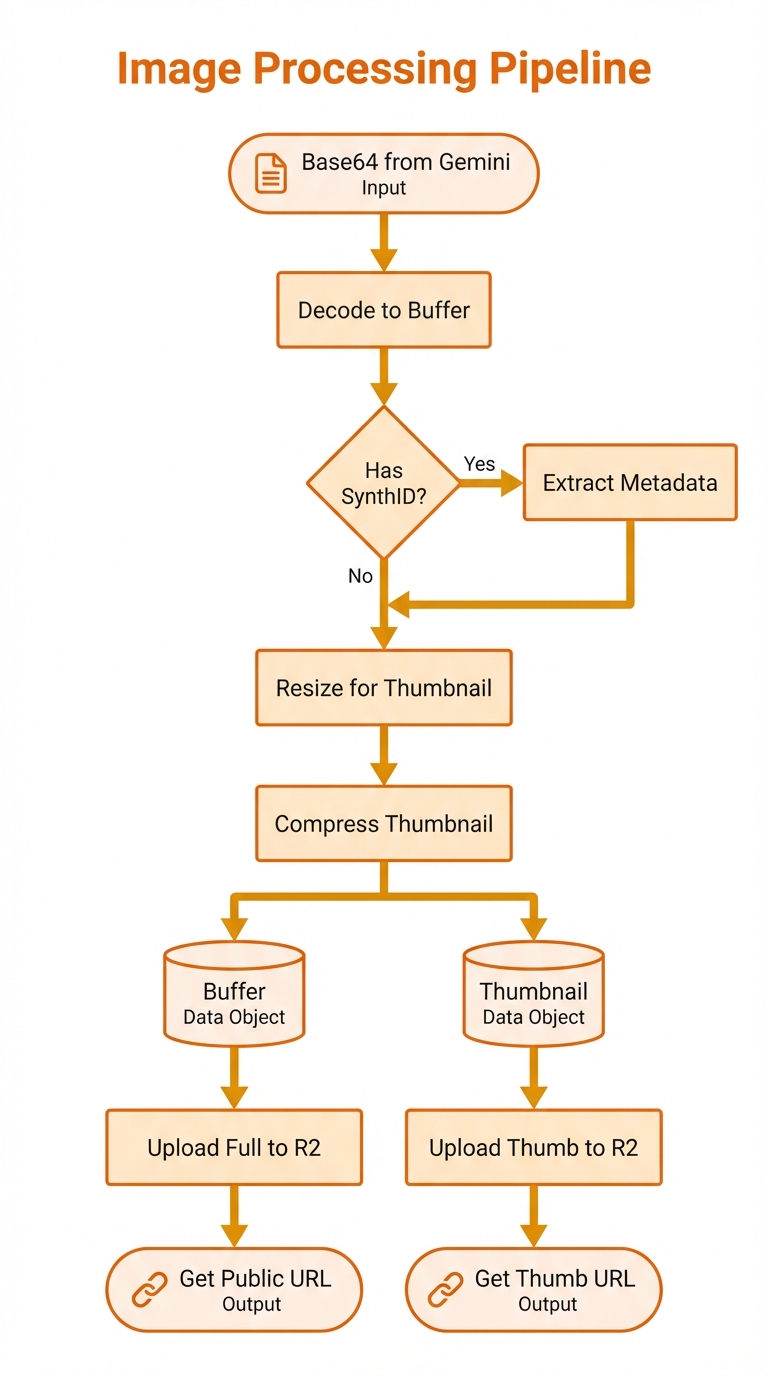
Decode, process, and upload to R2 storage
4. Metadata Storage
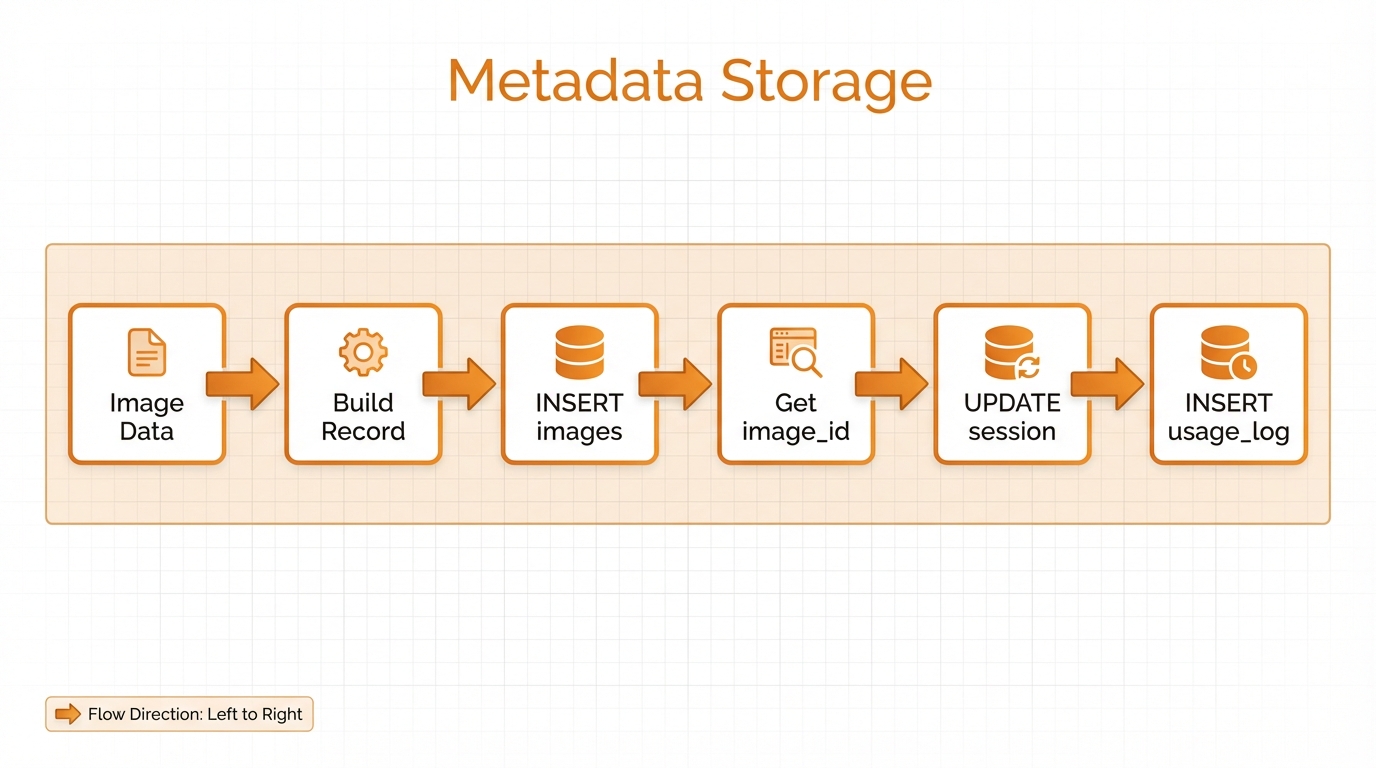
Build record, insert to D1, update session and usage logs
const record = {
  tenant_id: tenantId,
  session_id: sessionId,
  r2_key: fullKey,
  r2_thumbnail_key: thumbKey,
  public_url: publicUrl,
  thumbnail_url: thumbUrl,
  width: dimensions.width,
  height: dimensions.height,
  size_bytes: buffer.byteLength,
  prompt: input.prompt,
  operation_type: 'generate',
  has_synthid: true,
};Character Generation Flow
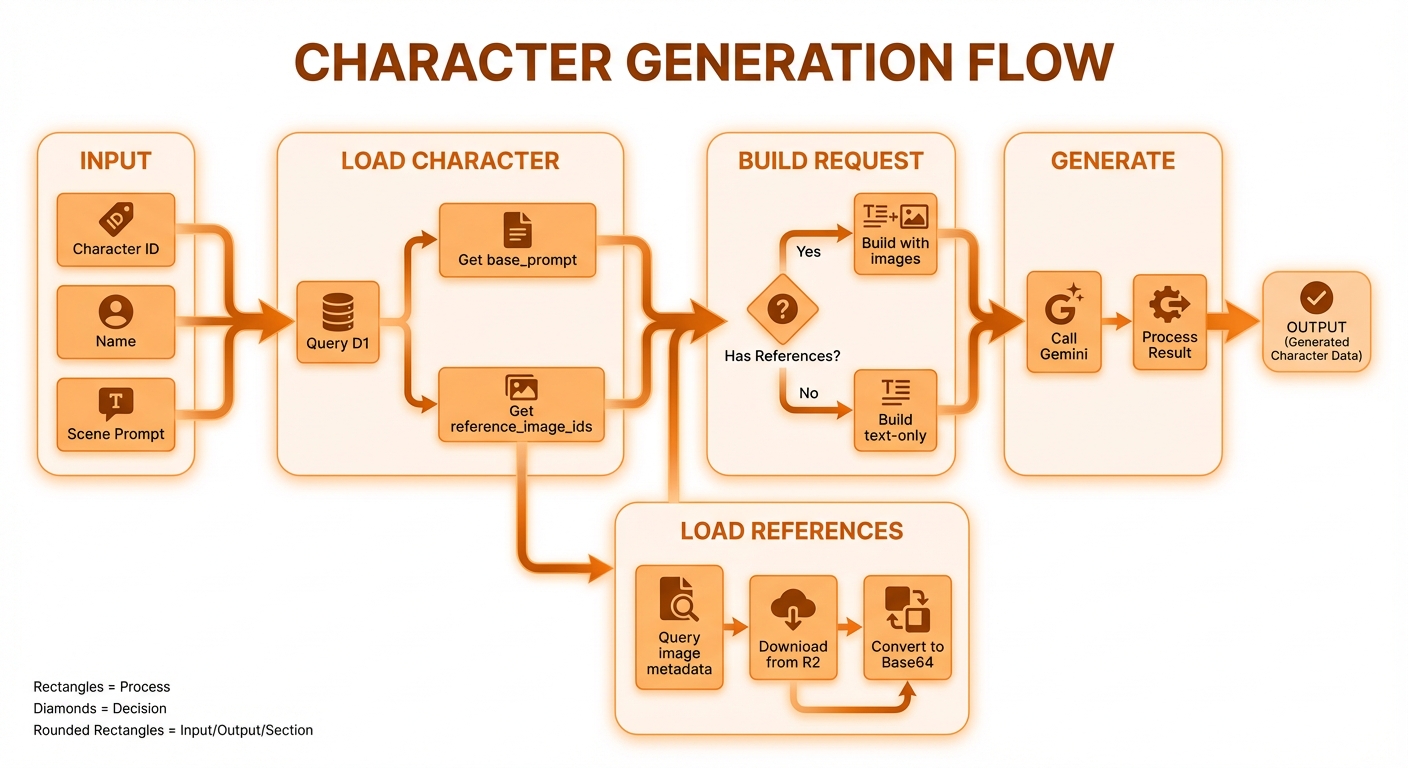
Load character, fetch references from R2, build request with images
Reference Image Loading
// Load reference images in parallel
const referenceImages = await Promise.all(
  imageIds.map(async (id) => {
    // Get metadata from D1
    const meta = await db.prepare(
      'SELECT r2_key, mime_type FROM images WHERE id = ? AND tenant_id = ?'
    ).bind(id, tenantId).first();

    // Download from R2
    const r2Object = await env.R2_IMAGES.get(meta.r2_key);
    const buffer = await r2Object.arrayBuffer();

    // Convert to base64
    const base64 = btoa(String.fromCharCode(...new Uint8Array(buffer)));

    return { data: base64, mimeType: meta.mime_type };
  })
);Edit Flow with Lineage
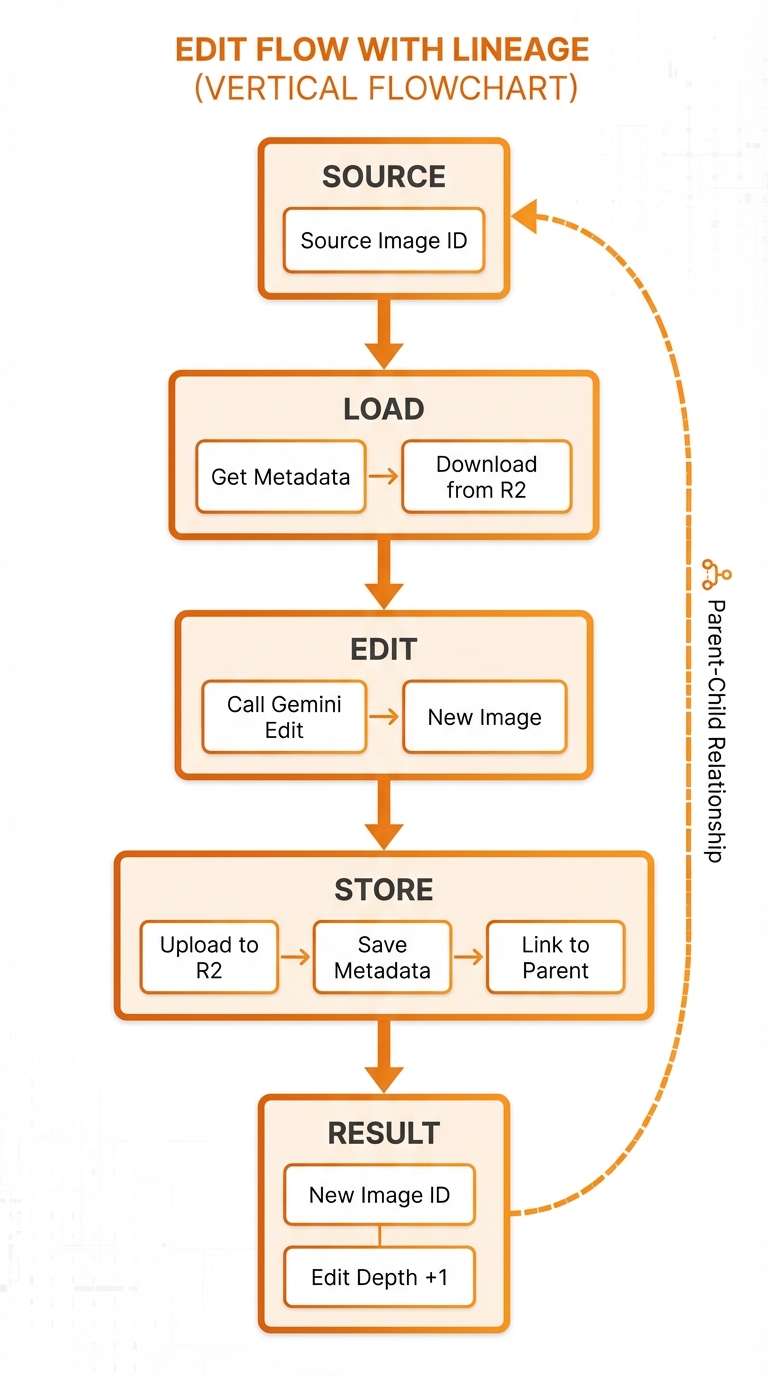
Track parent-child relationships with edit depth tracking
Edit Lineage Tracking
INSERT INTO images (
    tenant_id,
    parent_image_id,
    edit_depth,
    operation_type,
    edit_prompt,
    -- other fields
) VALUES (
    ?,
    ?, -- parent_image_id from source
    ?, -- parent.edit_depth + 1
    'edit',
    ?,
    -- other values
);Session State Flow
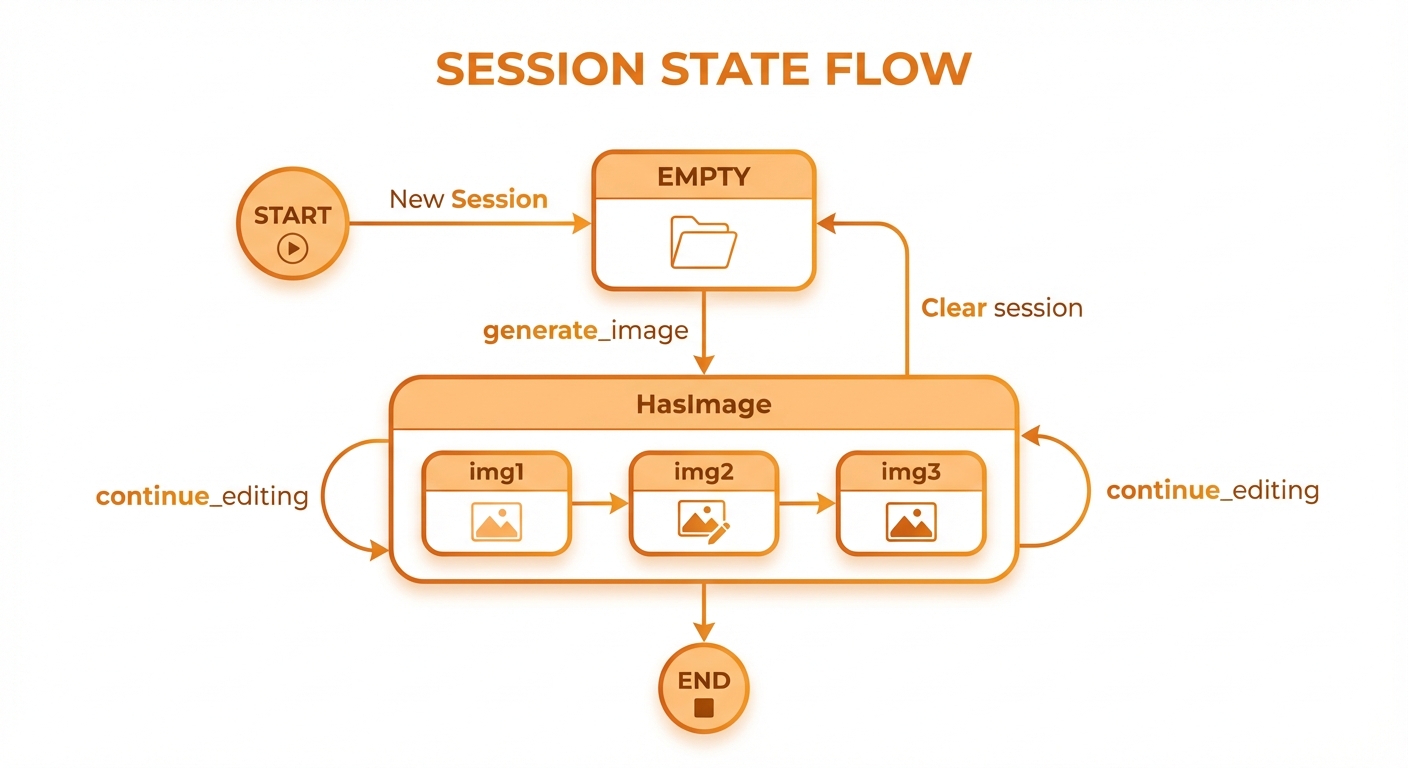
Session state machine: Empty → HasImage with conversational editing
Session Update Pattern
// After any image operation
await db.prepare(`
  INSERT INTO sessions (session_id, tenant_id, last_image_id, total_images)
  VALUES (?, ?, ?, 1)
  ON CONFLICT(session_id, tenant_id)
  DO UPDATE SET
    last_image_id = excluded.last_image_id,
    total_images = total_images + 1,
    last_activity_at = datetime('now')
`).bind(sessionId, tenantId, newImageId).run();Search and Query Flow
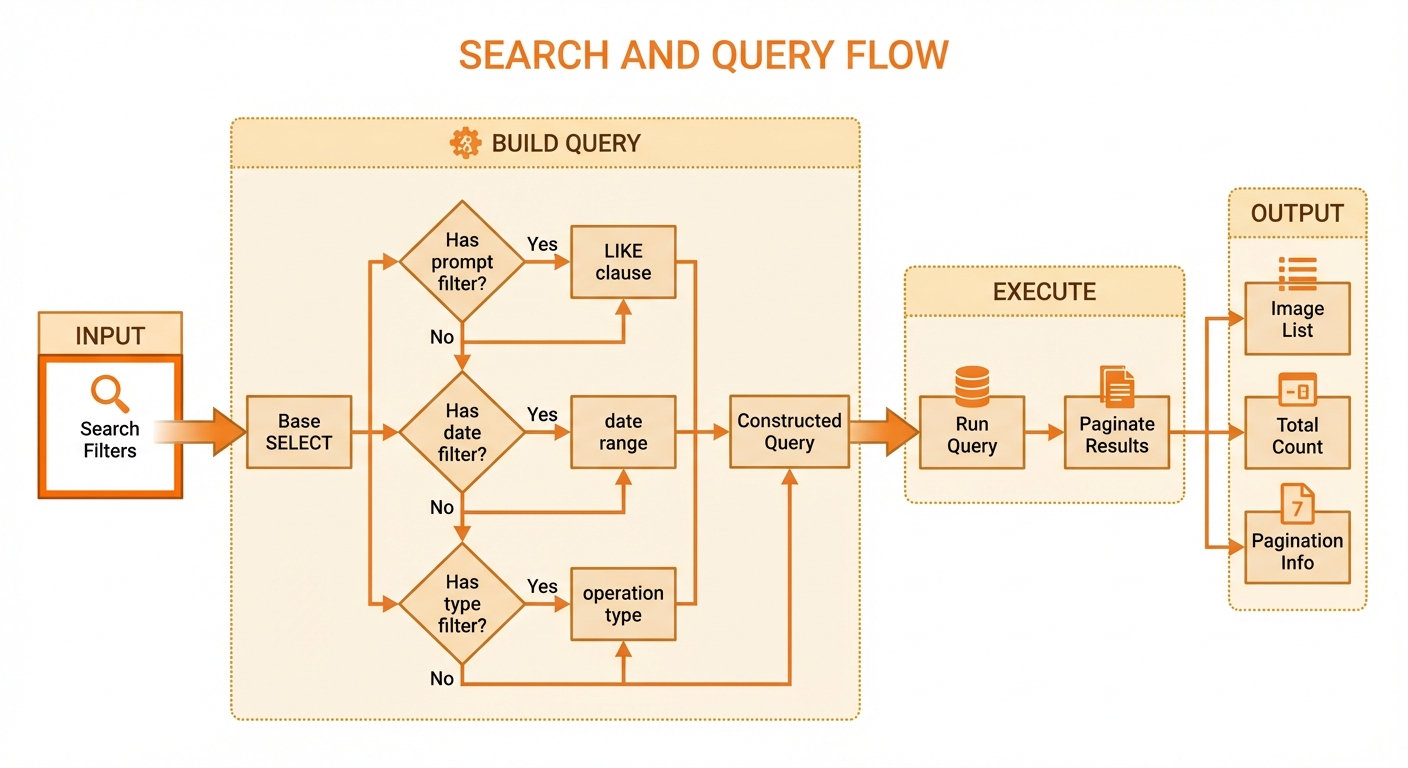
Build dynamic queries with filters and pagination
Usage Tracking Flow
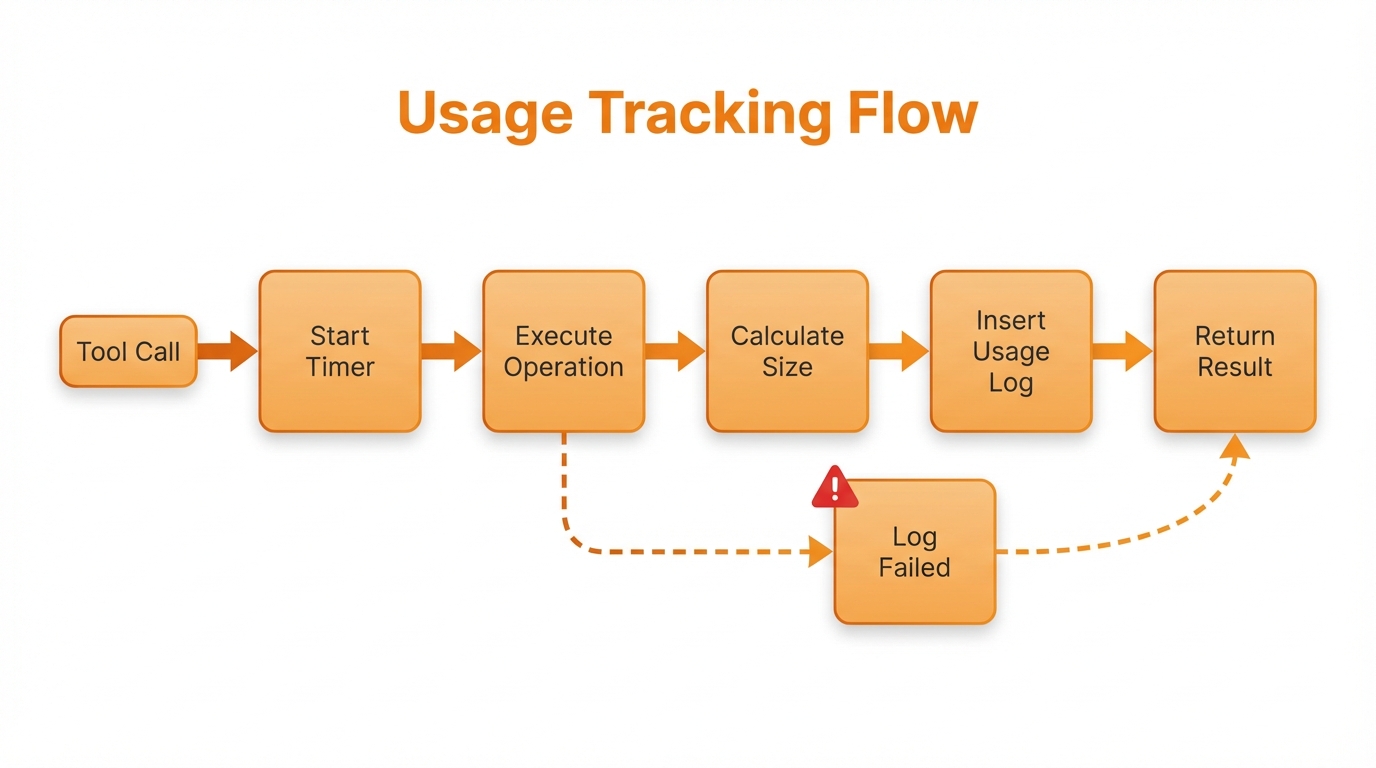
Track operations with timing, size, and error logging
Usage Log Record
interface UsageLog {
  tenant_id: string;
  session_id: string;
  operation: string;
  images_generated: number;
  total_size_bytes: number;
  duration_ms: number;
  api_calls_made: number;
  timestamp: string;
}Data Export Flow
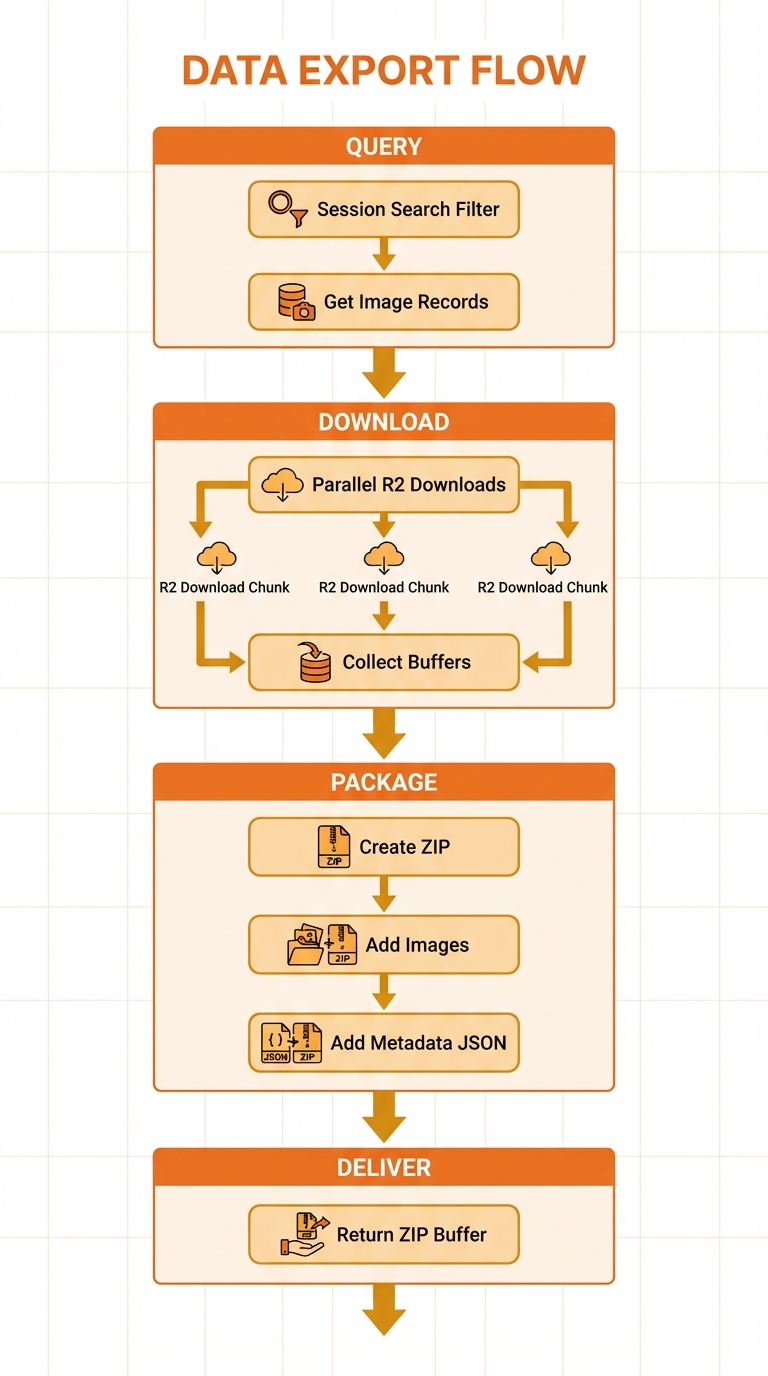
Query, download, package as ZIP with metadata
Cleanup Flow
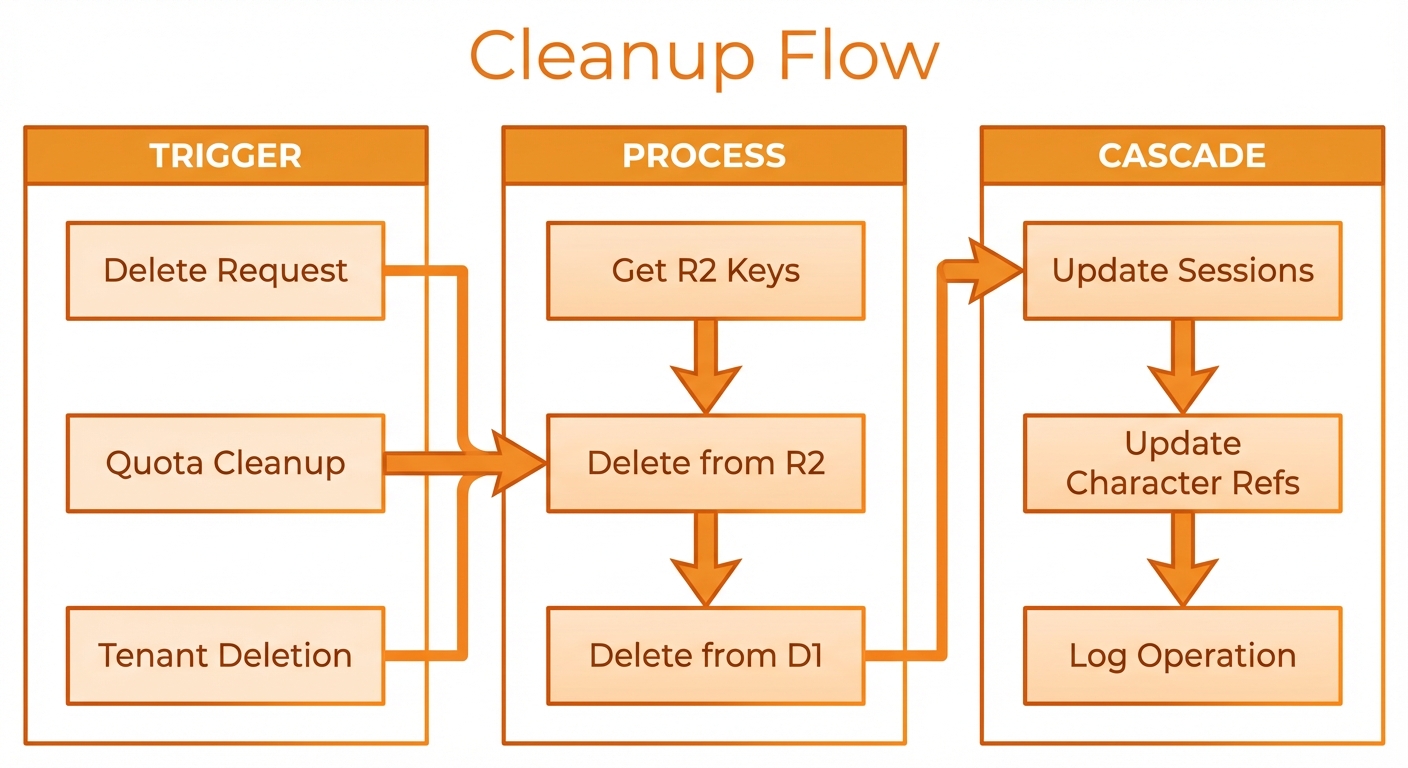
Cascade deletion: R2 → D1 → sessions → character refs