
Authentication
Go Bananas! supports two authentication methods: API keys for simple integrations and OAuth 2.1 for secure web and desktop applications.
Authentication Methods
| Method | Best For | Setup Complexity |
|---|---|---|
| API Keys | Server-to-server, scripts, CLI tools | Simple |
| OAuth 2.1 | Web apps, desktop apps, MCP clients | Standard |
Quick Decision
- Use API Keys for backend integrations and scripts
- Use OAuth 2.1 for user-facing applications and third-party integrations
REST endpoints (/api/*) require API keys. OAuth access tokens are used for MCP endpoints (/mcp, and the legacy /sse transport kept for older clients; use /mcp).
Option 1: API Keys
API key authentication is the simplest way to authenticate. This section covers how it works and how to manage your credentials.
API Key Format
API keys follow a specific format:
| Type | Format | Purpose |
|---|---|---|
| Live | sk_live_xxxxx... | Production use |
| Test | sk_test_xxxxx... | Development/testing |
WARNING
Never expose your API keys in client-side code or public repositories.
Using Your API Key
MCP Requests
Remote HTTP OAuth is preferred when the client supports it:
claude mcp add --transport http -s user go-bananas https://mcp.gobananasai.com

codex mcp add go-bananas --url https://mcp.gobananasai.com
codex mcp login go-bananasDirect HTTP OAuth tokens are stored by the MCP client for https://mcp.gobananasai.com.
Local STDIO proxy works for Claude Desktop config files, older editors, and headless clients. Run browser login once:
npx -y gobananas-cli auth loginThen configure:
{
  "mcpServers": {
    "go-bananas": {
      "command": "npx",
      "args": ["-y", "gobananas-mcp"],
      "env": {
        "GO_BANANAS_SERVER_URL": "https://your-server.workers.dev",
        "GO_BANANAS_MCP_TRANSPORT": "streamable-http"
      }
    }
  }
}For CI/headless clients, add an API key to the same env object:
"GO_BANANAS_API_KEY": "sk_live_your_key_here"Do not mix direct HTTP and STDIO configs under the same go-bananas server name/scope. gobananas-cli auth login only authenticates the STDIO proxy.
REST API Requests
For direct API calls, include the key in the X-API-Key header:
curl https://your-server.workers.dev/api/images \
-H "X-API-Key: sk_live_your_key_here"Or use the Authorization header:
curl https://your-server.workers.dev/api/images \
-H "Authorization: Bearer sk_live_your_key_here"Web Console
The web console authenticates via a login form that creates a session. For admin access, you'll need:
- A control plane user account (email/password)
- Appropriate role (admin or super_admin)
Authentication Flow
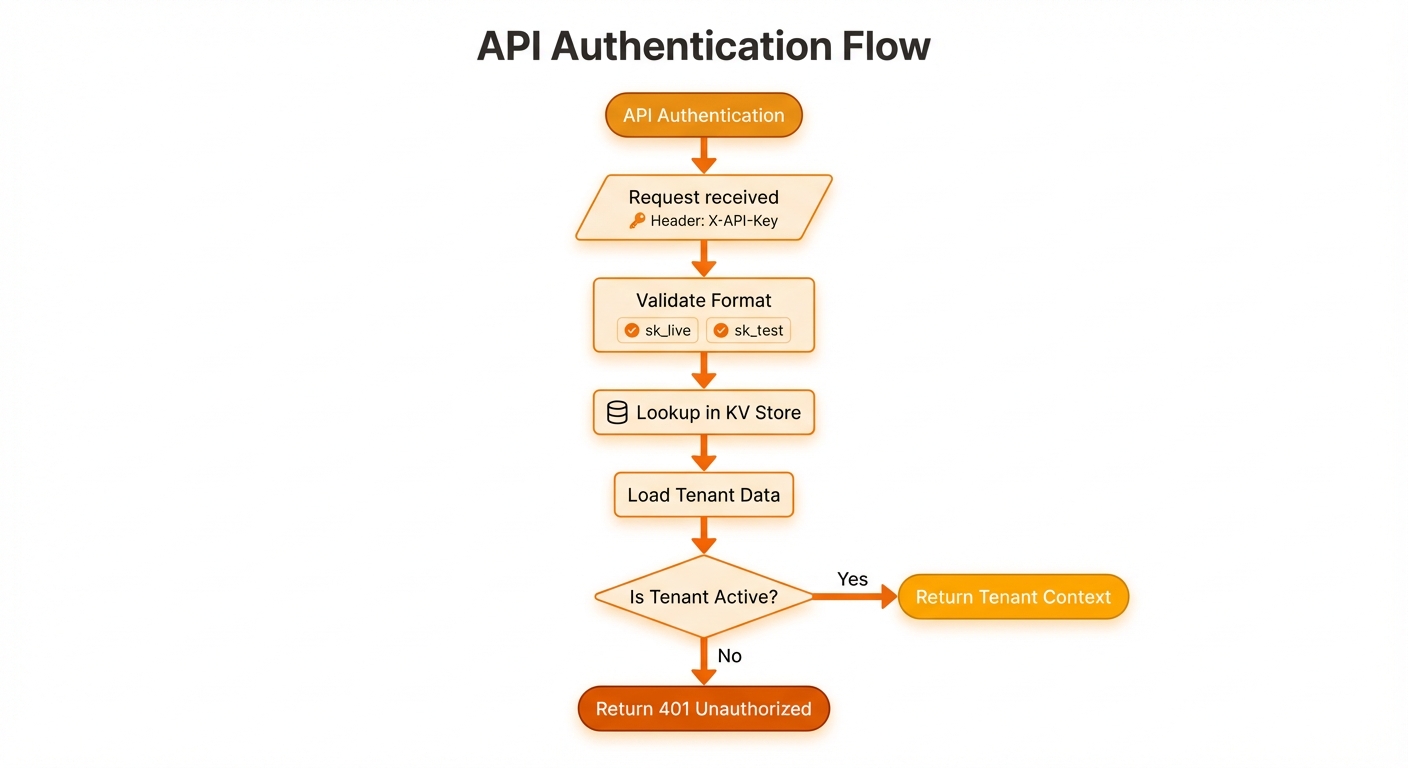
API key validation, tenant lookup, decryption, and limit checks
Multi-Tenant Isolation
Each API key belongs to exactly one tenant. When you authenticate:
- Data isolation: You can only access your tenant's images, characters, and settings
- Quota tracking: Usage is tracked against your tenant's limits
- Rate limiting: Your requests are rate-limited independently
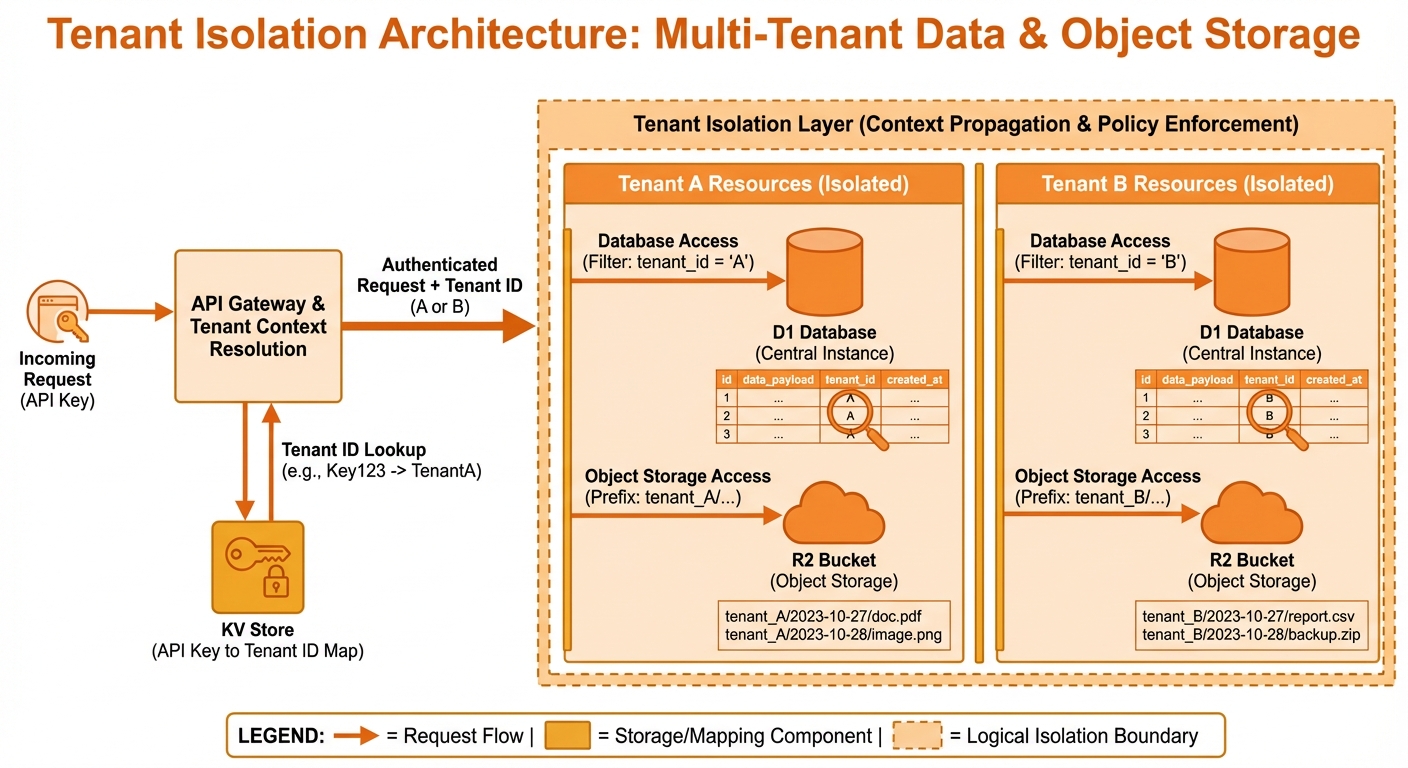
Complete data separation between tenants
Rate Limiting
Rate limits are enforced per-tenant:
| Limit Type | Default | Customizable |
|---|---|---|
| Requests/minute | 60 | Yes (per tenant) |
| Concurrent requests | 10 | Yes |
When rate limited, you'll receive a 429 Too Many Requests response:
{
  "error": "Rate limit exceeded",
  "retry_after": 30
}Quotas
Tenants have configurable quotas:
| Quota | Default | Description |
|---|---|---|
| Monthly storage | 1 GB | Total image storage per month |
| Images per request | 4 | Max images in single generation |
When quota is exceeded:
{
  "error": "Storage quota exceeded",
  "used_mb": 1024,
  "limit_mb": 1024
}Security Best Practices
Do's
✅ Store API keys in environment variables
export NANO_BANANA_API_KEY="sk_live_xxx"✅ Use different keys for development and production
# Development
sk_test_development_key

# Production
sk_live_production_key✅ Rotate keys periodically
- Request new keys from your administrator
- Update all clients with new key
- Deactivate old key
Don'ts
❌ Don't commit API keys to version control
# Add to .gitignore
.env
**/secrets.json❌ Don't expose keys in client-side code
// BAD - key exposed in browser
const apiKey = "sk_live_xxx";

// GOOD - call your backend instead
const response = await fetch("/api/generate");❌ Don't share keys between tenants
Managing API Keys
For Users
Contact your administrator to:
- Request new API keys
- Rotate compromised keys
- Increase quotas or rate limits
For Administrators
Use the Admin API to manage keys:
# Create new API key for tenant
curl -X POST https://your-server/admin/tenants/tenant-id/api-keys \
  -H "Authorization: Bearer $ADMIN_TOKEN" \
  -H "Content-Type: application/json" \
-d '{"key_name": "Production Key", "type": "live"}'Or use the web console Admin panel.
Control Plane Authentication
The web console uses session-based authentication:
Login Flow
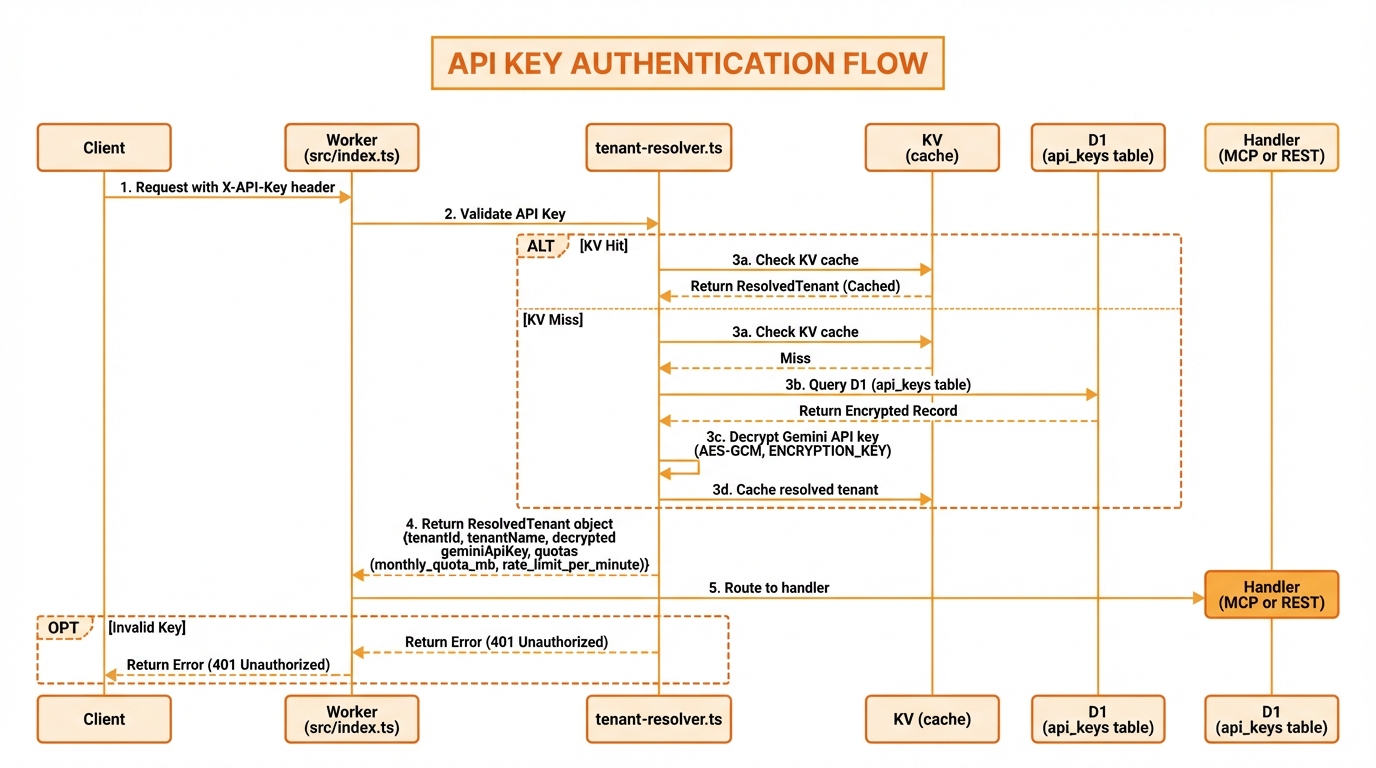
Credential verification, session creation, and secure cookie storage
Login returns a sessionToken (used by the console) and sets an HttpOnly session cookie for OAuth authorization redirects.
Session Security
- Sessions expire after 24 hours
- Sessions are fingerprinted (IP + User-Agent)
- Account lockout after 5 failed attempts (1 hour)
Roles
| Role | Capabilities |
|---|---|
admin | Manage own tenant, view users |
super_admin | Create tenants, manage all users, full access |
Error Responses
| Status | Error | Meaning |
|---|---|---|
| 401 | Invalid API key | Key not found or inactive |
| 401 | Missing authentication | No API key provided |
| 402 | Quota exceeded | Storage or request limit reached |
| 403 | Forbidden | Insufficient permissions |
| 423 | Account locked | Too many failed login attempts |
| 429 | Rate limit exceeded | Too many requests |
Option 2: OAuth 2.1
OAuth 2.1 provides secure, standards-compliant authentication for web applications, desktop apps, and MCP clients.
Key Features
- PKCE Required: Proof Key for Code Exchange prevents authorization code interception
- Dynamic Client Registration: Clients can register automatically without admin setup
- Refresh Token Rotation: Enhanced security with automatic token rotation
- Fine-grained Scopes: Request only the permissions your app needs
OAuth Flow Overview
┌──────────┐     ┌─────────────────┐     ┌────────────────┐
│  Client  │────▶│  /oauth/        │────▶│  MCP Resource  │
│   App    │     │  authorize      │     │  /mcp          │
└──────────┘     └─────────────────┘     └────────────────┘
     │                   │                      ▲
     │                   ▼                      │
     │           ┌─────────────┐               │
     │           │ User Login  │               │
     │           │ & Consent   │               │
     │           └─────────────┘               │
     │                   │                      │
     │           code + state                   │
     │◀──────────────────┘                      │
     │                                          │
     │         ┌─────────────────┐              │
     └────────▶│  /oauth/token   │──────────────┘
               │  (+ PKCE)       │   access_token
└─────────────────┘Quick Start
1. Register Your Client
curl -X POST "https://gobananasai.com/oauth/register" \
  -H "Content-Type: application/json" \
  -d '{
    "client_name": "My App",
    "redirect_uris": ["https://myapp.com/callback"]
}'2. Build Authorization URL
const authUrl = new URL('https://gobananasai.com/oauth/authorize');
authUrl.searchParams.set('response_type', 'code');
authUrl.searchParams.set('client_id', 'gobananas_abc123');
authUrl.searchParams.set('redirect_uri', 'https://myapp.com/callback');
authUrl.searchParams.set('code_challenge', codeChallenge);
authUrl.searchParams.set('code_challenge_method', 'S256');
authUrl.searchParams.set('scope', 'images:generate images:read');If no session exists, browsers are redirected to the console login at /?return_to=.... Non-HTML clients receive a login_required JSON response with a login_url.
3. Exchange Code for Tokens
curl -X POST "https://gobananasai.com/oauth/token" \
  -H "Content-Type: application/x-www-form-urlencoded" \
  -d "grant_type=authorization_code" \
  -d "code=AUTH_CODE" \
  -d "code_verifier=VERIFIER" \
  -d "client_id=gobananas_abc123" \
-d "redirect_uri=https://myapp.com/callback"4. Use Access Token
curl "https://mcp.gobananasai.com" \
  -H "Authorization: Bearer ACCESS_TOKEN" \
  -H "Content-Type: application/json" \
-d '{"method":"tools/list","params":{}}'Available Scopes
| Scope | Description |
|---|---|
images:generate | Generate new images |
images:edit | Edit existing images |
images:read | Read image metadata |
images:delete | Delete images |
characters:manage | Create, update, delete characters |
characters:read | View character library |
products:manage | Manage product references |
products:read | View product library |
styles:manage | Manage style presets |
styles:read | View style presets |
sessions:read | View session history |
analytics:read | View usage analytics |
Token Lifetimes
| Token | Lifetime |
|---|---|
| Authorization Code | 10 minutes |
| Access Token | 1 hour |
| Refresh Token | 30 days |
For complete OAuth implementation details, see: